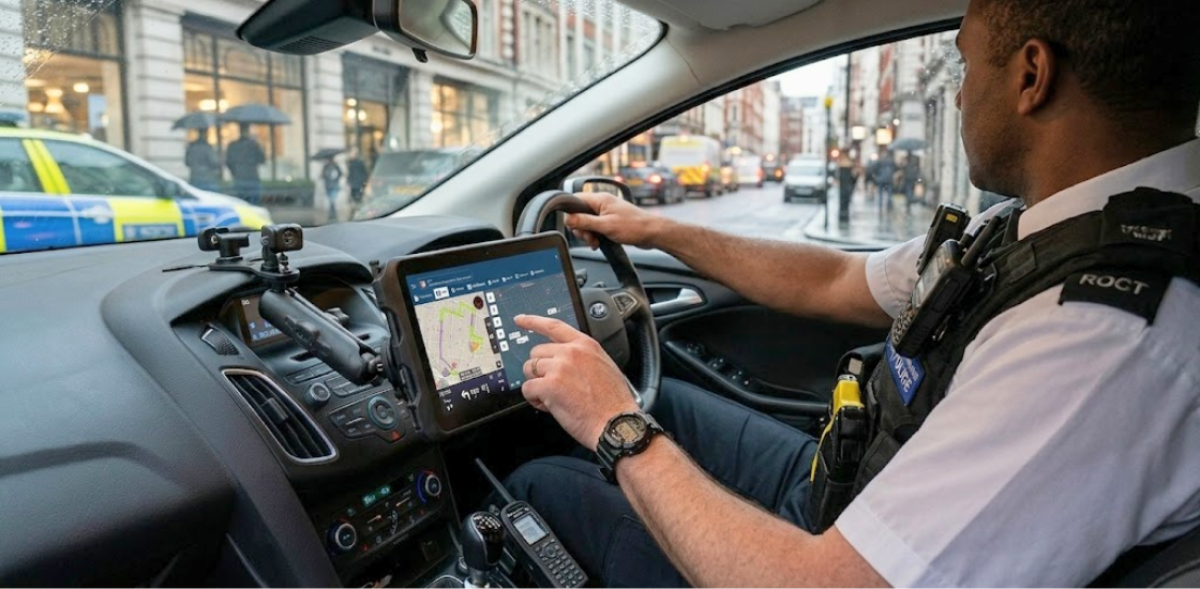
For years, the police mobile data terminal meant a single device bolted to a vehicle dashboard. It connected the officer to dispatch, provided access to basic records, and handled status updates. That was enough at the time.
Today, field operations are more complex. Officers work across multiple environments, incidents involve multiple agencies, and the expectation for real-time shared awareness has grown significantly. A modern MDT solution needs to keep up with that reality, reaching every officer in the field, not just the ones sitting in a patrol car.
This article walks through what that looks like in practice, from the core capabilities any solution should cover to how software-based tools like GINA Apps are extending MDT functionality to every role in the operation.
Table of Contents
What Is a Police Mobile Data Terminal?
A police mobile data terminal is a computer system installed in a patrol vehicle that connects the officer directly to dispatch, databases, and other field units. In its traditional form, it is a ruggedized laptop or touchscreen mounted on a console bracket, running a client application that interfaces with the agency’s computer-aided dispatch (CAD) system.
The core functions of an MDT include:
- Receiving and acknowledging incident assignments from dispatch
- Updating unit status (available, en route, on scene, clear)
- Accessing records and databases, including vehicle registration, warrants, and prior incident history
- Communicating with dispatch and other units via text messaging
- Viewing maps and other units’ positions
These capabilities are the minimum standard for modern policing. An officer without them is relying on voice radio for information that should be instant and structured.
The Three Gaps a Modern MDT Needs to Close
Most of the limitations agencies experience with traditional MDTs come back to three connected problems. Solving any one of them in isolation is not enough. A modern field solution needs to address all three.
The last-mile problem
Information flows well at the center. Dispatchers have a full operational picture. CAD systems record everything. But the moment that information needs to reach an officer in the field, it hits friction. Voice radio moves one message at a time. There is no history, no structured data, and no way to attach a photo, a floor plan, or a hazard flag.
The last mile is the distance between the dispatch console and the officer’s hands. It is also the foot patrol officer who left the car, the incident commander at a forward post, the mutual aid unit arriving from another agency. A vehicle-mounted MDT only reaches the officer who is sitting in that vehicle. Everyone else is still working without structured field connectivity.
Common Operational Picture
In a conventional setup, the dispatcher has the full picture. Field officers have a partial view assembled from radio traffic and their own observations. Supervisors have whatever they can reconstruct from calls and status updates. Each layer is working from a different, slightly delayed version of reality.
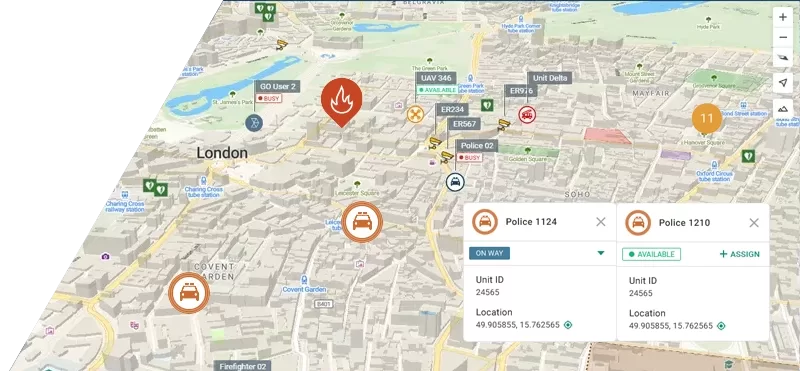
A common operational picture means every unit is visible on a shared live map, accessible to everyone who needs it. Officers see where their colleagues are without asking. Command staff direct resources without guessing. Incoming mutual aid units orient themselves before they arrive. For high-risk situations, the safety implications are direct: officers moving to a location know who else is approaching and from which direction.
Interoperability
An MDT that connects only to a single CAD system is useful. One that connects to the full ecosystem of data an officer needs is transformative. Agencies run multiple systems. Incidents involve multiple jurisdictions. The data an officer needs at the point of decision does not always live in one place.
Open integration architecture means the field app connects to CAD, to national and regional databases, to neighboring agency systems during mutual aid events, and to any other data source the agency relies on. It also means officers from different agencies can share a common operational picture during joint operations, without requiring everyone to be on the same platform.
What Field Officers Actually Need From an MDT
Before evaluating any solution, it helps to be specific about requirements. A police mobile data terminal is only valuable if it delivers the right capabilities reliably. In practice, the core requirements come down to five areas:
1. Real-time incident management: Officers need to receive incident assignments directly from CAD, view all associated information, and update their status in a way that flows back to dispatch without a radio call. This reduces dispatcher workload and creates a clean, accurate activity record.
2. Common Operational Picture: Every unit on a shared live map. Not just vehicles, but foot patrols, command staff, and incoming mutual aid. The ability to see where everyone is, in real time, is foundational for both coordination and officer safety.
3. Messaging and tasking: Structured communication that does not compete with voice radio. Text-based messaging between units and dispatch, the ability to attach notes or photos, and a persistent record of what was communicated.
4. Interoperability: An MDT that only talks to one system is a silo. Effective field tools connect to the CAD system, to national and regional databases, to neighboring agency systems during mutual aid events, and to any other data source the officer needs at the point of decision.
5. Device flexibility: The solution should run on the hardware the agency already has or plans to standardize on, not hardware it must buy from a specific vendor.
Introducing GINA Apps
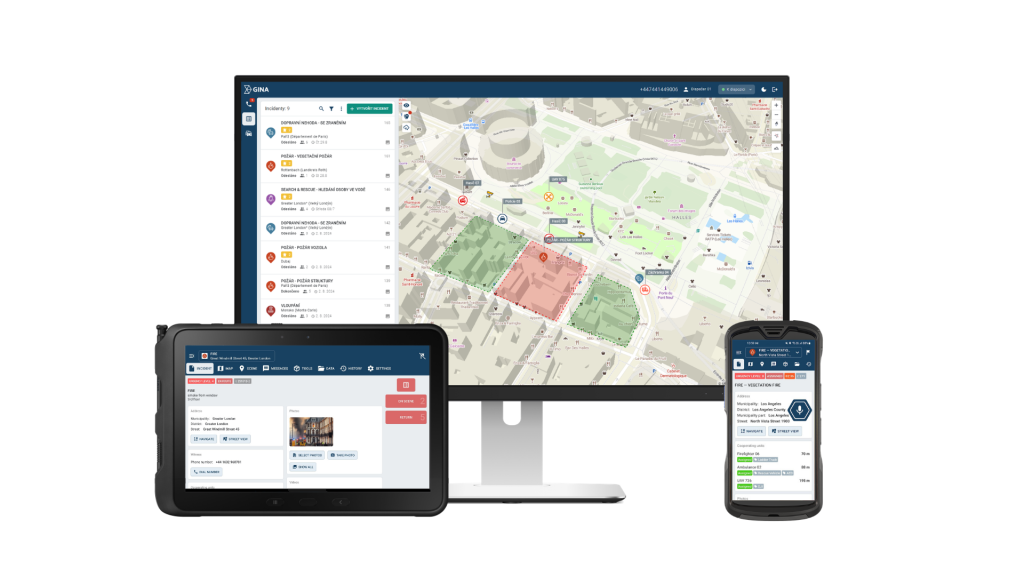
GINA Apps is a suite of two field applications, GINA Mobile and GINA Tablet, built for public safety, defense, and critical infrastructure operations. Together they deliver the core capabilities of a police mobile data terminal as software, running on standard Android and iOS devices that officers and commanders already carry.
GINA Mobile is built for individuals on the move. It runs on smartphones, rugged handhelds, and private LTE or PoC terminals, and operates over 5G, 4G, 3G, 2G, and Wi-Fi. Key capabilities include:
- Team member visibility on a live operational map
- Two-way secure encrypted messaging
- Tactical whiteboarding and geofencing directly on the map
- Multimedia sharing and live video streaming
- Digital forms and structured field reporting
- Optional push-to-talk integration
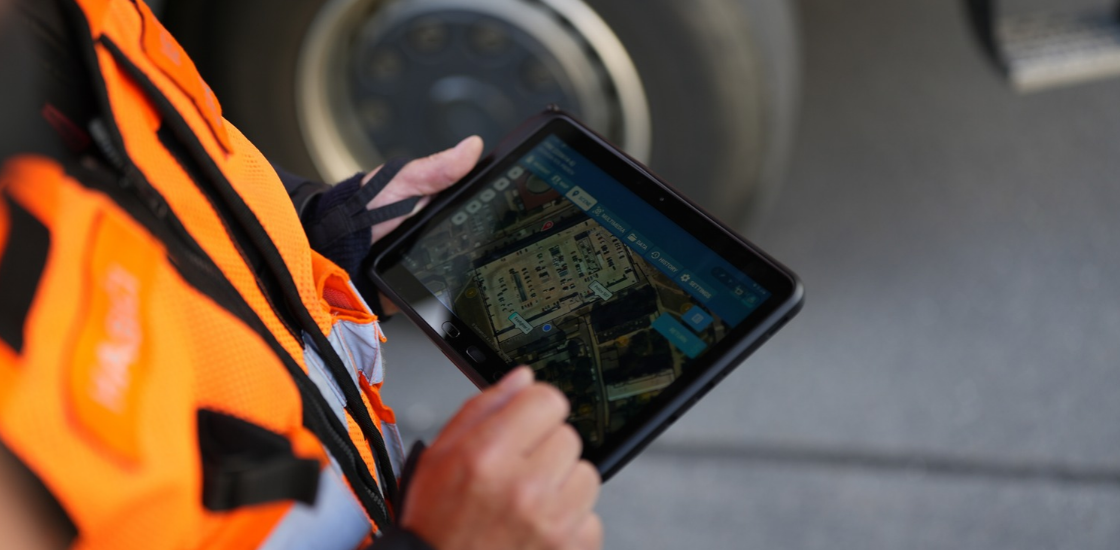
GINA Tablet is optimized for larger-screen devices and is particularly suited to vehicle-mounted or supervisor use. It adds:
- Emergency navigation with turn-by-turn routing
- Unit visibility across cooperating teams and agencies
- Status updates with full operational history
- Points of interest mapping
- Offline operation with automatic sync when connectivity is restored
Security is built in at the data layer. GINA Mobile uses TLS-encrypted transmission with permission management to protect against unauthorized access. GINA Tablet adds SSL channels with AES 256-bit encryption, ensuring compliance with ISO 27001 and other regulatory standards.
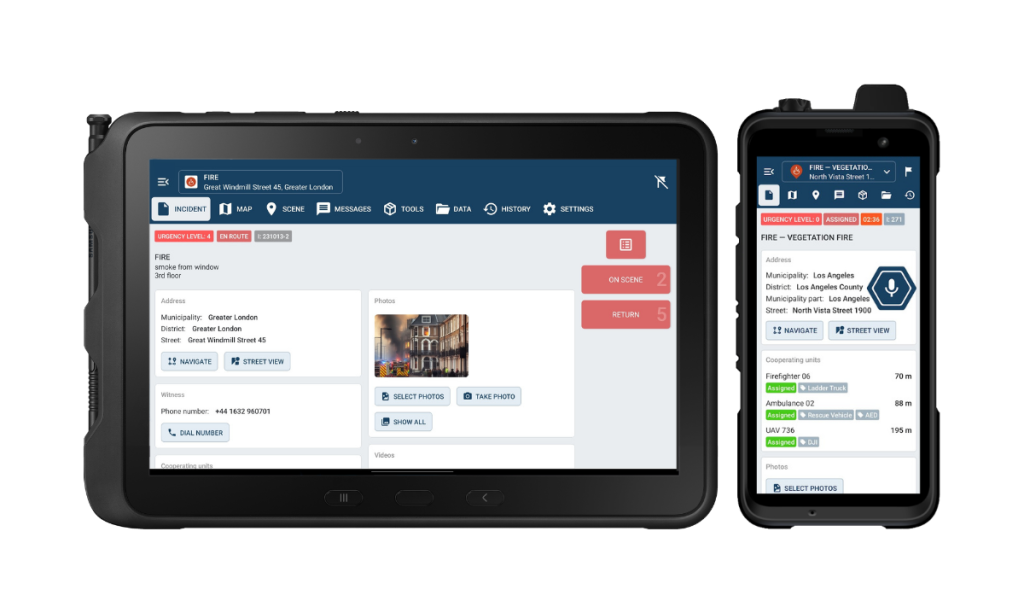
Where a traditional MDT serves the vehicle, GINA Apps extends that capability to every role in the operation. Officers on foot, commanders at a forward post, and supervisors coordinating across a large-scale event all get the same structured field connectivity. That means closing the last-mile gap for anyone who needs it, not just vehicle crews. It means a shared live map that every connected unit can see in real time, from whatever device they are carrying. And it means open integrations with CAD systems, PSAP dispatch centers, case management platforms, and custom partner solutions, so officers access the data they need regardless of which systems the agency runs.
From Field App to Full Command with Smart CAD
GINA Apps is the field layer. Smart CAD is the dispatch and coordination brain. Together, they close the loop that most agencies are still trying to close manually.
The integration works like this:
- A call comes in. The dispatcher creates an incident in Smart CAD with full details, location, and priority.
- Smart CAD pushes the incident directly to GINA Apps on the assigned officer’s device.
- The officer acknowledges, updates their status, and the change reflects immediately in Smart CAD.
- As the situation develops, additional units are assigned. All of them appear on the shared COP, visible to dispatch, to the supervisor, and to each other.
- The officer completes the call, clears their status, and the system logs a complete activity record without a single radio call required for status management.
No information stays locked in the dispatch center. No status update gets lost. No supervisor is flying blind.
For agencies already running a third-party CAD system, GINA Apps can integrate without replacing the existing infrastructure. The goal is to extend reach, not to force a full platform swap. But for agencies evaluating a full modernization, combining GINA Apps with Smart CAD delivers the tightest possible integration between field and dispatch.
Conclusion
Field technology has come a long way, but the core need has not changed: officers need reliable access to information, and that information needs to reach them wherever they are. GINA Apps is built around that need, and agencies across the world are already using it to keep their field units connected, coordinated, and informed.
If you would like to see how GINA Apps and Smart CAD work in practice, contact our team to book a demo and see what it can do for your agency.