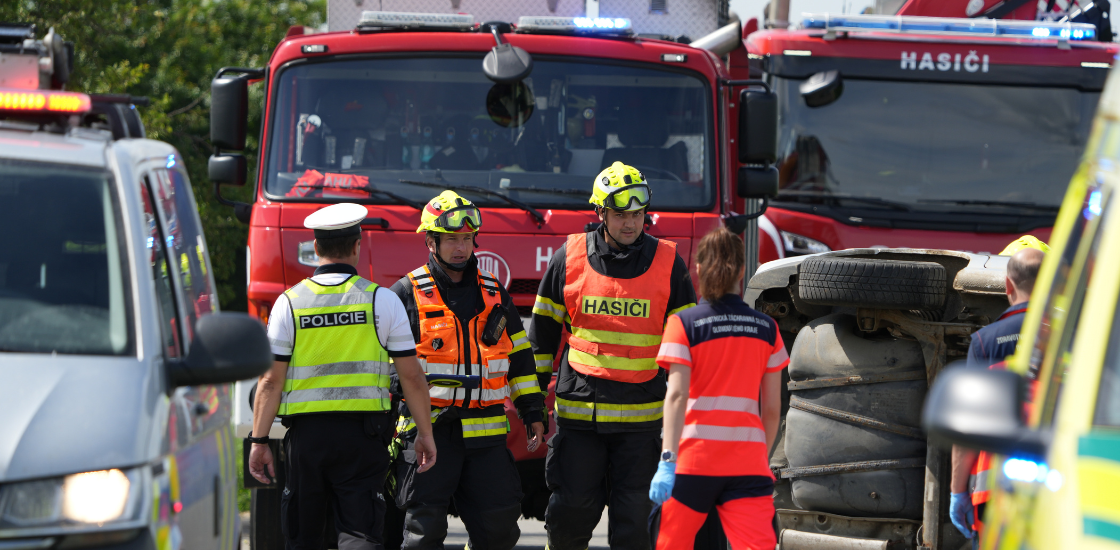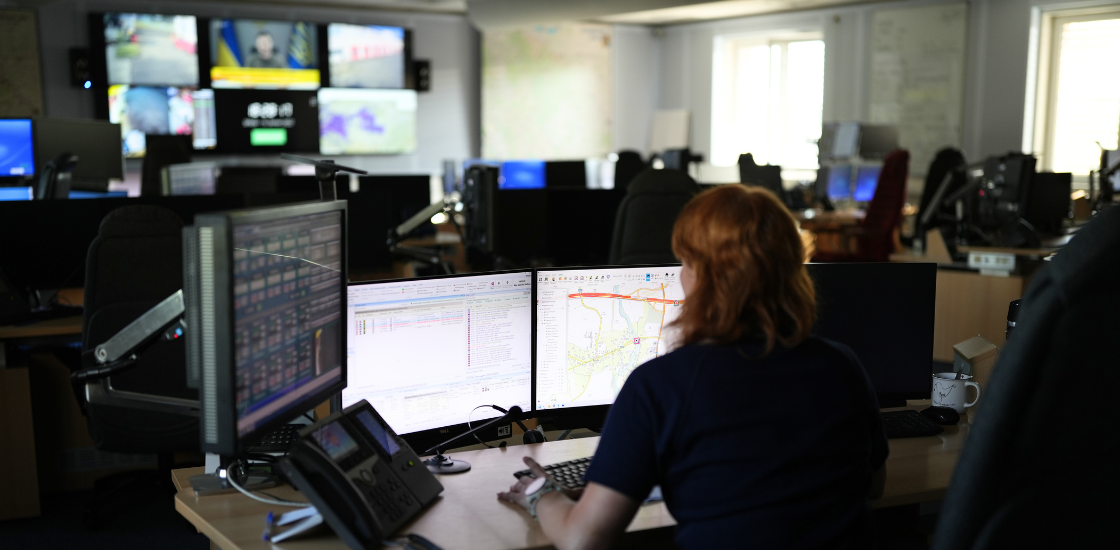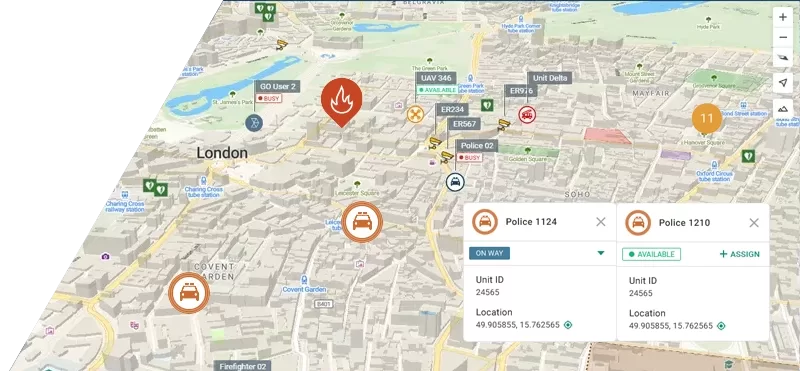
Police CAD Software is built for moments when every second counts in law enforcement. A dispatcher receives a call. They need to find the right officer. They need to share information fast. They need to coordinate multiple units at once.
Without the right technology, this process is slow. It relies on radio calls, paper logs, and memory. Mistakes happen. Response times grow longer.
CAD stands for Computer-Aided Dispatch. It is a digital platform that connects dispatchers, officers, and data in real time. It replaces manual processes with automation. It gives every person involved a clear picture of what is happening.
This guide explains everything you need to know about police CAD software. You will learn how it works, what features matter most, and how solutions like GINA Smart CAD are helping agencies respond faster and smarter.
Table of Contents
What Is Police CAD Software?
Police CAD software is a digital system that manages emergency dispatch operations. It handles incoming calls, assigns units, tracks officers in the field, and records incident data.
Think of it as the command center for law enforcement operations. Everything flows through it. A call comes in. The system logs it. It finds the best available officer. It sends the assignment. It tracks the response. It stores the outcome.
Modern CAD platforms go far beyond basic dispatch. They integrate with radio systems, GPS trackers, CCTV cameras, body-worn cameras, and mobile apps. They give dispatchers and field officers a shared view of every incident in real time.
Many agencies still rely on outdated dispatch tools. These systems were built before smartphones, real-time GPS, and cloud computing. They cannot keep up with the demands of modern law enforcement. Slow dispatch, data silos, and poor communication are the result. Computer-aided dispatch (CAD) software built for today fixes all three.
5 Key Features Every Police CAD Software Must Have
Dispatch software comes in many shapes. But some features are non-negotiable. These are the five capabilities that separate a truly effective CAD system from one that just gets the job done.
Geofencing and Automated Alerts
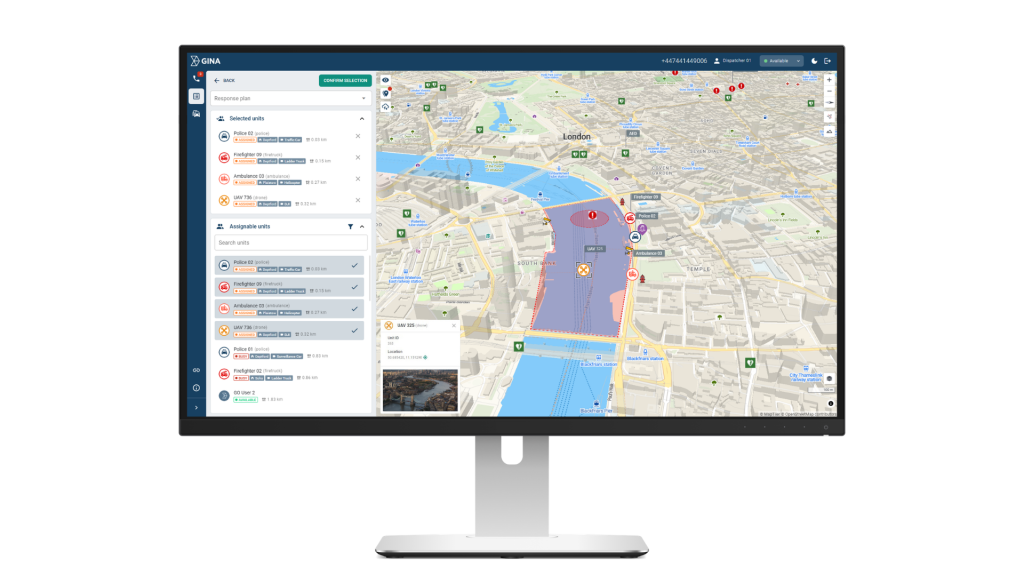
Geofencing is one of the most powerful and underrated features in modern CAD software. It allows dispatchers to draw virtual boundaries on the map. When a suspect or tracked asset crosses that boundary, the system triggers an alert automatically.
In practice this means a lot. A geofence around a crime scene tells the dispatcher immediately if a unit leaves the secured perimeter. A geofence around a high-risk area flags unauthorized vehicle movement without anyone having to watch the map constantly. Patrol zones can be monitored automatically. No manual oversight needed.
CCTV, Drones, and Live Video Integration
Visual intelligence is one of the biggest advantages a dispatcher can have. CAD software that connects directly to CCTV networks allows dispatchers to open camera feeds without leaving the dispatch interface.
The moment an incident is logged, the dispatcher can pull up the nearest camera. They see the scene in real time. They can track suspect movement, assess the situation, and brief responding officers before they arrive on site. Officers walk into the scene knowing what to expect.
When fixed cameras do not cover the area, drones fill the gap. A drone can be dispatched directly from the CAD interface and provides a live aerial feed of the scene. Dispatchers see the situation from above. They can track suspect movement across a wider area, monitor multiple entry points, and guide officers on the ground in real time. This is especially useful in open areas, large crime scenes, or situations where ground visibility is limited.
Body-worn cameras and dashcams feed into the same system. Footage is attached to the incident record automatically. It is stored, timestamped, and ready for review.
Real-Time Location Tracking Across All Devices
Knowing where every unit is at every moment is the foundation of good dispatch. Modern CAD software tracks units through multiple methods at once. GPS trackers, GSM systems, satellite, and native mobile apps all feed into one live map.
This matters because no single tracking method works in every environment. GPS can fail indoors. Mobile apps depend on data coverage. A system that combines multiple sources stays accurate even when one method drops out.
Every unit position, movement, and status change appears on the map in real time. Dispatchers and field commanders share one accurate operational picture at all times.
Full Integration with Radio, IoT, and External Systems
A CAD system that works in isolation is a limited tool. The real power comes from integration. Modern platforms connect with radio systems, IoT sensors, panic buttons, wearables, and national law enforcement databases.
When a panic button is pressed, the CAD system creates an alert instantly. No phone call needed. No delay waiting for someone to report it. The system sees it and flags it immediately.
This turns the CAD platform into something more than a dispatch tool. It becomes a live monitoring system for everything connected to it.
Automated Reporting and Records Management
Manual reporting is slow and error-prone. A good CAD system eliminates it entirely. Every action during an incident is logged automatically. Unit assignments, timestamps, communications, photos, video, and location data are all captured without anyone typing a single note.
When the incident closes, the system generates a complete report. This report is not just useful for compliance. It is a training resource. Leadership can review what happened, analyze response times, and use real data to improve future operations.
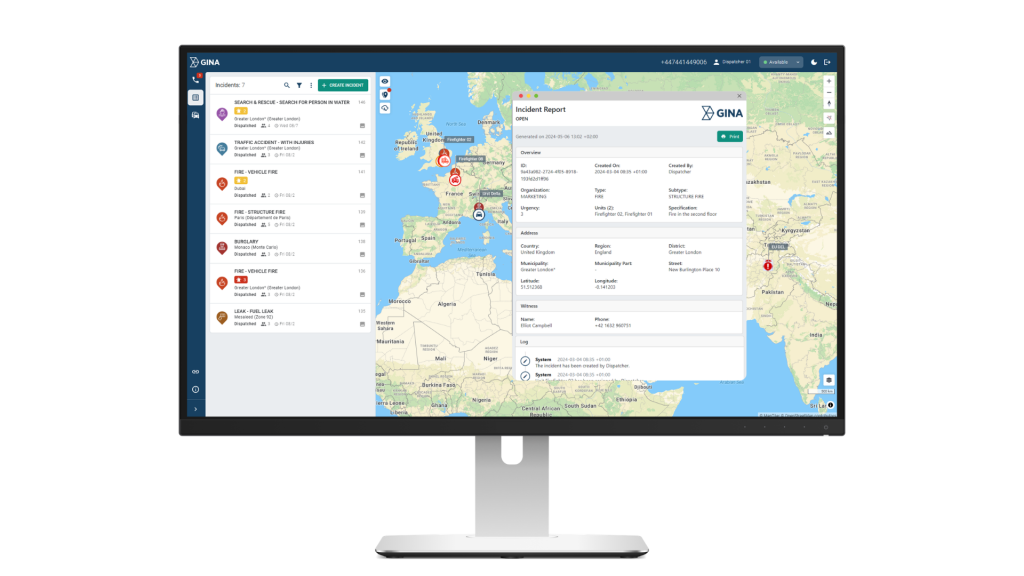
Over time, this data builds into a searchable archive of every incident the agency has handled.
How to Choose the Right Police CAD System
The features above define what good police CAD software should do. But not every system delivers all of them equally well. These are the most important factors to evaluate before making a decision:
| What to look for | Why it matters |
|---|---|
| Real-time map display | Full situational awareness for dispatchers and commanders |
| One-click unit assignment | Faster dispatch, fewer mistakes |
| Geofencing capabilities | Automated monitoring without manual oversight |
| CCTV and video integration | Visual intelligence directly in the dispatch interface |
| Mobile app for officers | Full field connectivity without relying on radio alone |
| Integration with radio, GPS, IoT | All data in one place, no switching between systems |
| Automated incident logging | Complete records without manual input |
| Scalable architecture | Grows with your agency's needs |
Agencies that skip any of these will feel the gaps in their operations. A system without geofencing relies on manual monitoring. A system without CCTV integration forces dispatchers to switch between tools. A system without mobile support leaves field officers disconnected from the information they need.
The right CAD platform covers all of these bases out of the box.
How Smart CAD Works: From First Call to Final Report
The best way to understand CAD software is to follow a real incident from start to finish. Here is how GINA Smart CAD handles every step of the process:
- The call comes in: A citizen reports a break-in. The dispatcher receives the call. Smart CAD immediately logs it. It captures the location, call type, and time. The dispatcher sees all active units on a live map. They can assess availability in seconds.
- Intelligent dispatch: Smart CAD suggests the best units based on proximity, current status, and workload. The dispatcher assigns two officers with one click. The system sends the incident details directly to their mobile devices. No radio back-and-forth. No delays.
- Officers respond in the field: The officers see the incident on the GINA Tablet. They get live navigation, suspect information if available, and updates from the dispatcher. Their location is visible to the entire team in real time. They can share photos and video directly from the scene.
- Situational awareness grows: The dispatcher pulls up the CCTV feed from the nearest camera. They see the building in real time. They can brief the responding officers before they arrive. Additional units are tracked on the map. Everyone sees the same picture.
- Incident closes and report is generated: The suspect is apprehended. The officers mark the incident as resolved. Smart CAD automatically generates a full incident report. It includes timeline, communications, unit locations, actions taken, and attached media. The report is stored centrally. It is ready for review, investigation, or audit.
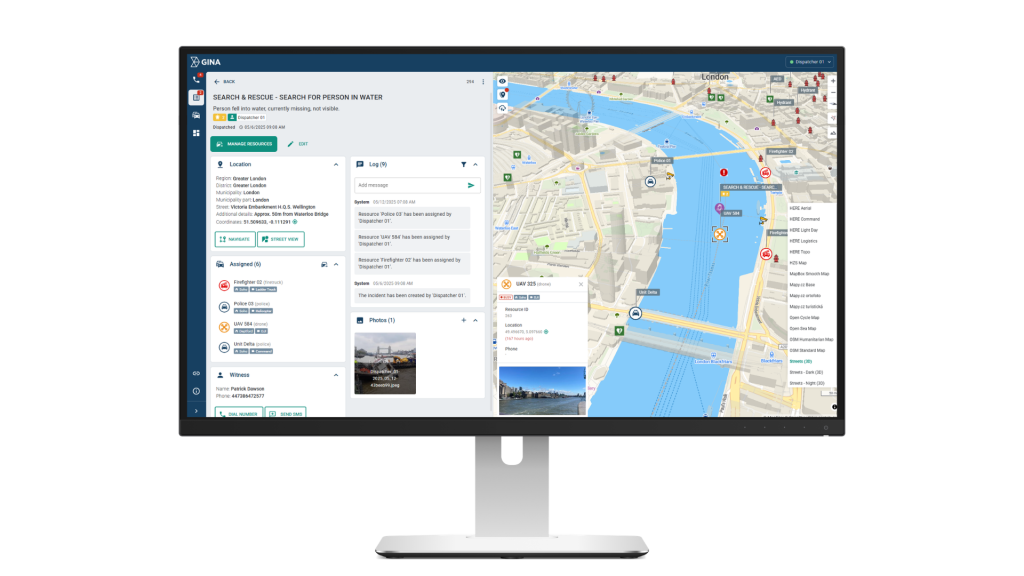
This is what Smart CAD looks like in practice. A live incident, four units coordinated, a witness logged, CCTV accessed, and a complete record generated. All from a single interface, in real time.
Final Thoughts
Police CAD software is no longer optional for modern law enforcement. It is the infrastructure that connects every part of an emergency response. Without it, dispatchers work blind, officers work disconnected, and records are incomplete.
The right system does not just speed up dispatch. It transforms how an entire agency operates. Faster decisions. Better coordination. Complete documentation. All in one place.
If your agency is ready to take that step, Smart CAD is built for exactly this purpose. See how Next Generation Police CAD Software works.