

Most emergency management software looks capable in a demo. The interface is clean, the map updates smoothly, the notifications go out on cue. What the demo never shows is how the platform behaves when fifty users log in at once, when network connectivity drops in the field, or when a dispatcher is managing three simultaneous incidents in the middle of the night. That gap, between what a platform promises and what it delivers under real conditions, is exactly what this guide is designed to help you close.
Choosing software that won’t fail under pressure comes down to one principle: evaluate it against your worst day, not your average one. That means looking beyond the feature list and asking harder questions about reliability, usability under stress, offline capability, and what vendor support actually looks like when you need it most.
What follows covers everything you need to make that call with confidence: what emergency management software actually is, how it differs from related tools, who uses it, what it must do, and a practical framework for evaluating every vendor on your shortlist. Because the platform that won’t fail you is always chosen before the incident starts, never during it.
Table of Contents
What Is Emergency Management Software?
Emergency management software is a digital platform that supports the coordination, communication, and documentation of emergency operations across the full lifecycle of a crisis: preparedness, active response, recovery, and long-term risk reduction.
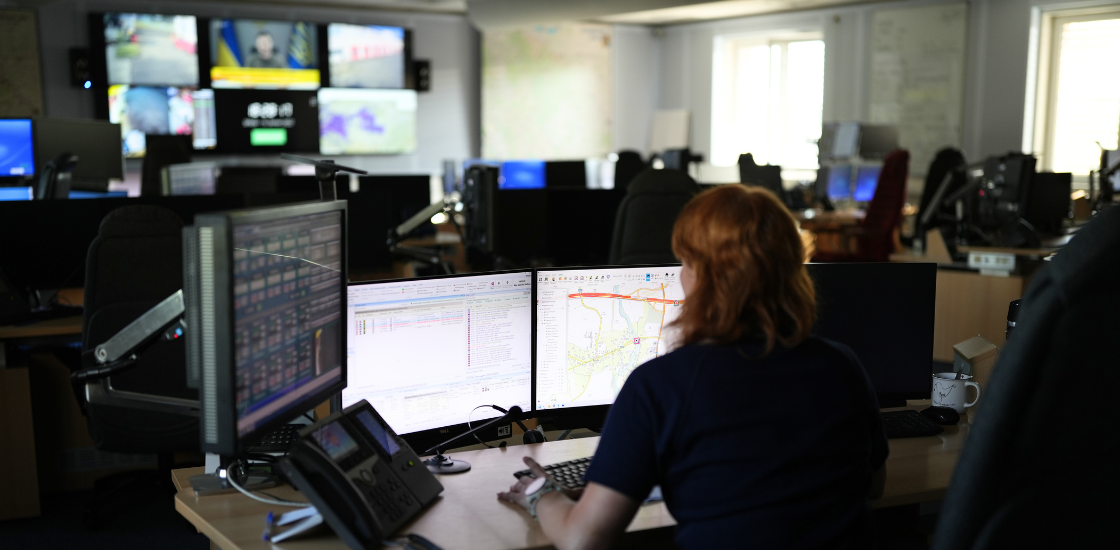
In practical terms, it replaces the disconnected combination of phone calls, radio traffic, email chains, whiteboards, and spreadsheets that most organizations still rely on. It gives every authorized stakeholder, from dispatchers and field teams to incident commanders and partner agencies, a shared, real-time picture of an unfolding situation and the tools to act on it together.
At its core, a well-built platform does four things:
- Centralizes incoming incident data so nothing gets missed and nothing has to be communicated twice
- Gives commanders and coordinators a live, accurate view of resources, units, and conditions on the ground
- Connects agencies and departments that would otherwise be operating in parallel with no shared information
- Automatically documents every action, decision, and communication as the incident unfolds
That last point matters more than most organizations realize until they need it. Automatic documentation supports post-incident review, continuous improvement, and legal and regulatory accountability without adding a single manual step to an already pressured workflow.
Who Uses Emergency Management Software and Why
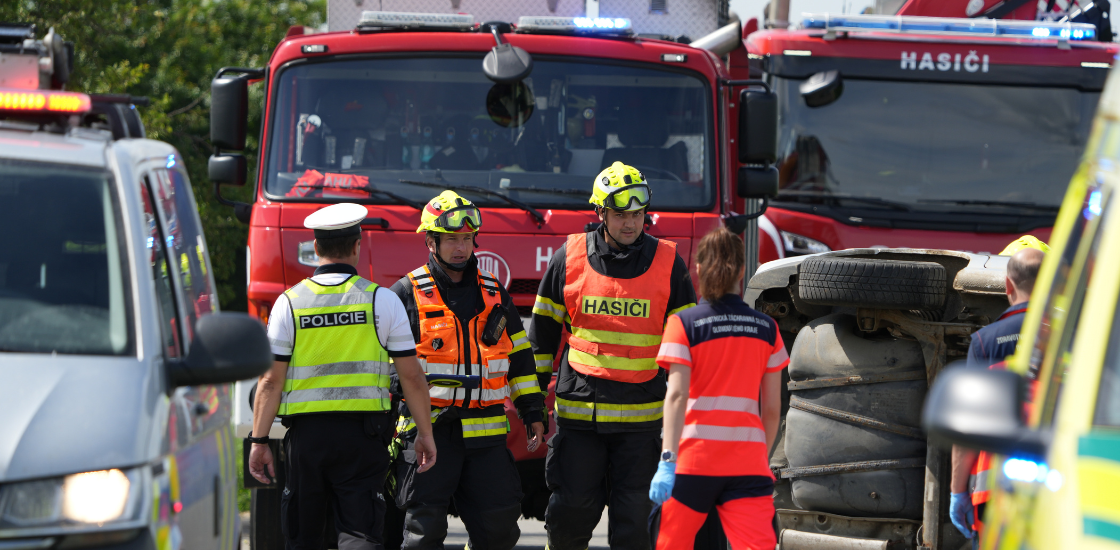
The organizations that use emergency management software operate in very different environments, but they face the same core problem: when an incident unfolds, fragmented communication and poor visibility turn manageable situations into serious ones.
- Fire and rescue services use it to coordinate multi-unit responses, track aerial and ground resources, manage hazmat incidents, and maintain accountability for personnel operating in dangerous environments.
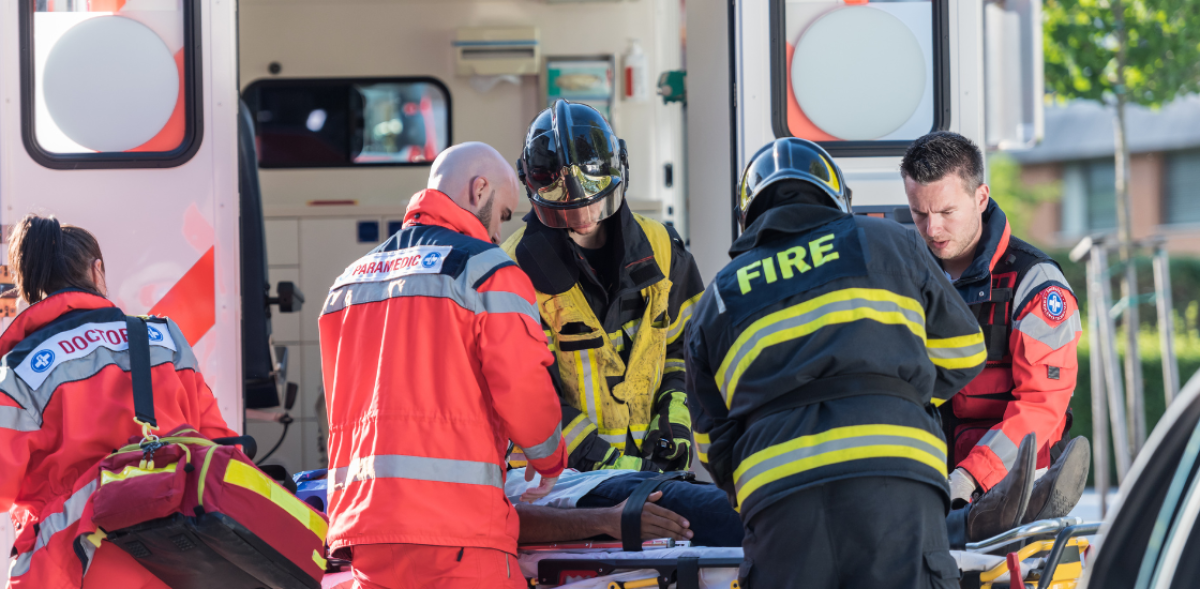
- Emergency medical services (EMS) depend on it for dispatch coordination, patient tracking, hospital destination decisions, and mass casualty incident management where patient volume exceeds normal capacity.
- Law enforcement agencies use it for major event coordination, multi-agency operations, tactical deployments, and post-incident documentation that meets evidentiary standards.
- Airports and aviation authorities face a unique combination of regulatory requirements and operational complexity, managing everything from runway incidents to full-scale evacuations across multiple terminals and stakeholder organizations.
- Utilities and critical infrastructure operators including power grids, water systems, and pipeline networks use it to coordinate outage response, manage field crews, and communicate with regulators and the public during service disruptions.
- Industrial and hazardous facilities including chemical plants, refineries, and manufacturing sites use it to manage site-level emergency response, coordinate with local fire and EMS, and maintain compliance with regulatory emergency planning requirements.
- Security operations centers in enterprise, campus, and critical infrastructure settings use it to manage physical security incidents, coordinate response assets, and maintain event logs for post-incident review.
- Disaster response organizations including government agencies, NGOs, and international humanitarian operations rely on it for large-scale, multi-organization coordination across extended operations covering wide geographic areas.
Core Features to Look For
Not every platform marketed as emergency management software delivers the same capabilities. These are the features that define a genuinely capable system.
Incident Intake and Dispatch
The ability to log an incident, assign a priority, and dispatch appropriate resources quickly and accurately is the operational foundation. Look for structured intake forms that capture the right data at the right moment, automated unit recommendations based on proximity and availability, and an interface that supports speed under pressure, not one optimized for a demo environment.
Real-Time Location Tracking
Knowing where every unit and every resource is at any given moment is not optional. Effective platforms provide live GPS tracking of vehicles and personnel, with automatic status updates as units move through the incident lifecycle. This data feeds both real-time decisions and post-incident review.
Resource and Unit Status Management
Dispatchers and commanders need to see what is available, what is committed, and what is exhausted, instantly. Resource status boards should update automatically based on field input, with clear visual indicators that work at a glance for a supervisor managing dozens of concurrent activities.
Integrated Communications
The platform should embed communication directly into the operational workflow. That means logging radio traffic where possible, enabling direct messaging between users, supporting alerts and task assignments, and maintaining a complete communication record without requiring separate apps or manual transcription.
Mapping and Situational Awareness
A real-time common operating picture built on GIS mapping is what separates a capable platform from a glorified ticketing system. It should aggregate incident data, resource locations, perimeter boundaries, hazard zones, and external data feeds including weather, traffic, and sensor data into a single, role-appropriate map view that every authorized user sees simultaneously.
Reporting and Audit Trails
Every action taken, every resource assigned, every communication sent should be automatically logged with a timestamp and user attribution. This serves three purposes: post-incident analysis, continuous improvement, and legal and regulatory accountability. Manual logs are inadequate. Automatic audit trails are a requirement.
Mobile Access for Field Teams
Field personnel cannot operate effectively without the same information visibility that command staff has. The platform must support mobile access for on-scene commanders and field units, with an interface designed for difficult conditions: variable lighting, time pressure, and users who may be wearing gloves. Mobile-friendly is not the same as field-ready.
Integrations
A platform that cannot connect to your existing infrastructure creates new problems rather than solving old ones. Evaluate integration capabilities carefully: CAD-to-CAD interoperability, video feed ingestion, IoT and sensor data, hospital capacity APIs, weather data services, and national incident databases. The depth and reliability of integrations is one of the clearest differentiators between mature platforms and newer entrants.
How the Right Platform Improves Response
A well-implemented platform delivers measurable improvements across the full response lifecycle.
Faster dispatch: Structured intake captures the right data immediately, automated unit recommendations replace manual lookups, and dispatchers act on complete information instead of piecing it together across multiple screens.
Better coordination: When all parties share a single operating picture, mutual aid partners are integrated without workarounds, competing priorities are resolved at command level, and duplication of effort drops because everyone can see what is already deployed.
Fewer errors: Structured workflows and automated data capture reduce the error rate that defines manual, verbal coordination. Decisions are guided by complete, current data rather than radio summaries and memory.
Clearer command: The full picture is visible in real time, not assembled from periodic updates. Command decisions are faster and span of control stays manageable even as incident complexity grows.
Stronger post-incident review: Every action, communication, and decision is automatically captured and timestamped, so lessons-learned analysis and compliance documentation are based on a complete record rather than selective memory.
How GINA Software Handles Emergency Management
When a call comes in reporting a warehouse fire with multiple units involved, a dispatcher has seconds to make decisions that will shape the entire response. They need to know which units are available, where they are, who has the right equipment, and how to coordinate with fire, EMS, and potentially law enforcement arriving from different directions.
This is the environment Smart CAD was built for. Our computer-aided dispatch software consolidates incident management, unit coordination, and real-time tracking into a single platform. As the call comes in, dispatchers work through structured intake that captures the right information from the first moment. The system recommends available units based on real-time proximity and availability, so the dispatcher is not manually scanning status boards while a caller is still on the line.
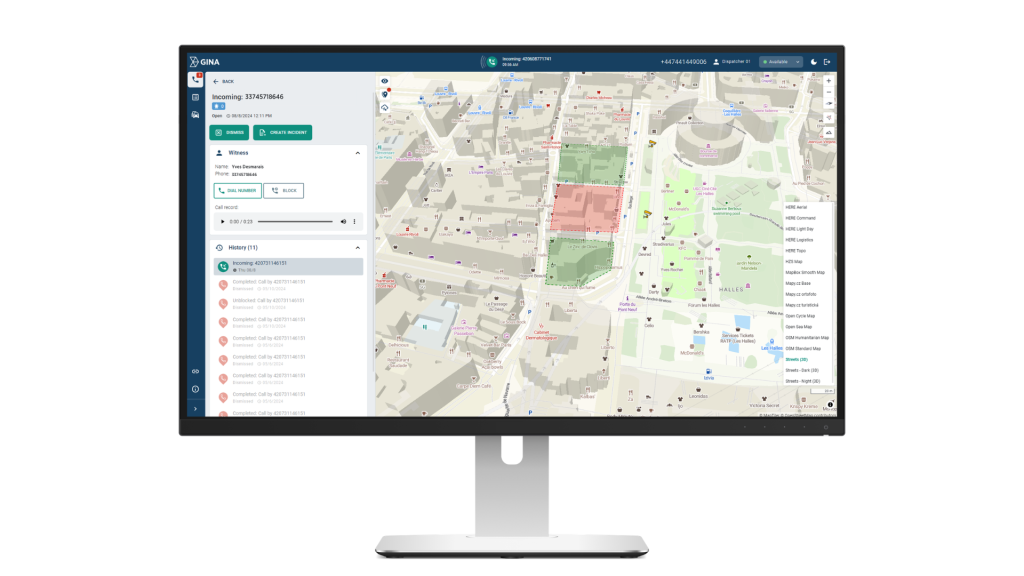
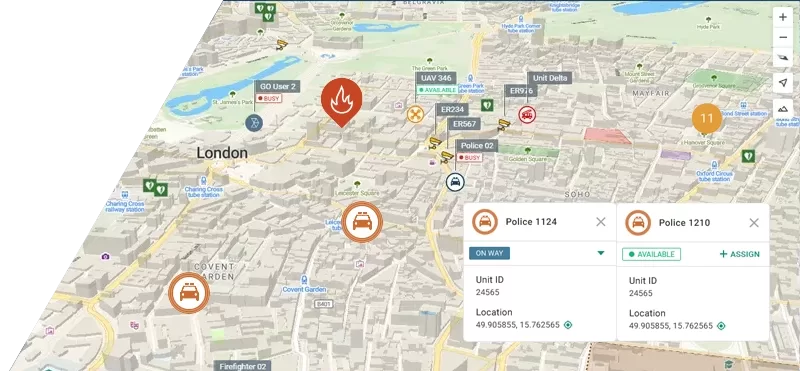
Tactical AVL shows every vehicle and personnel position live on the dispatch map, giving both the dispatcher and the incident commander a shared picture of what is happening on the ground.
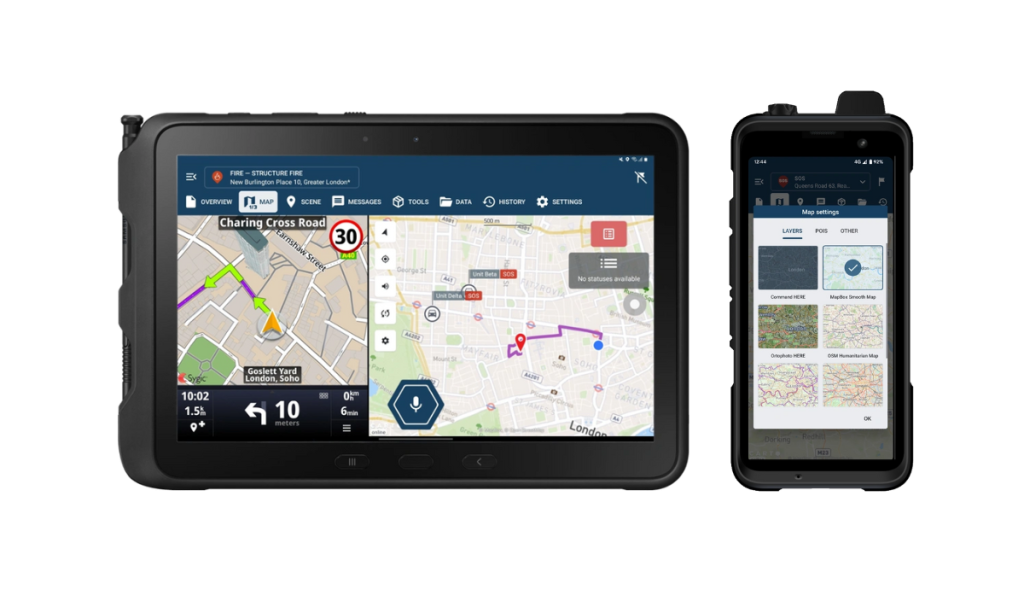
Field teams on the way to the scene receive the same information on their tablets and smartphones through GINA Apps. Assignment details, navigation, and incident updates reach them in real time, and any changes at command level are reflected on their devices immediately. For responders working alone or in hazardous conditions, the man-down feature monitors for unresponsiveness and triggers automatic alerts if something goes wrong.
Smart CAD also connects to drone feeds, real-time satellite imagery, and face recognition systems directly within the console. CCTV feeds and body-worn camera footage can be pulled into the operational view, giving commanders visual context without leaving the dispatch interface. Geofences and points of interest can be set up across the map, so the system automatically flags when units enter or leave defined areas, which is particularly useful for controlling access zones and tracking personnel accountability during large-scale operations.
Everything that happens during an incident is automatically logged with timestamps and user attribution, producing a complete record for post-incident review and compliance without anyone having to maintain it manually.
Overview of Emergency Management Platforms
| Vendor | Description |
|---|---|
| GINA Software | Incident management and dispatch platform with a modern interface, mobile CAD apps for field teams, and localization into multiple languages, covering fire, EMS, law enforcement, search and rescue, and industrial operations. |
| CentralSquare Technologies | Comprehensive CAD, RMS, and mobile suite widely deployed across North American municipal and regional public safety agencies. |
| Tyler Technologies | Broad public safety platform covering CAD, RMS, and analytics with flexible deployment options and a large install base across US fire and law enforcement agencies. |
| Octave | CAD and dispatch platform built for large, complex multi-agency environments, with strong GIS integration and a wide install base across regional public safety operations. |
| Mark43 | Cloud-native CAD platform serving law enforcement, fire, and EMS, combining dispatch, records management, and multi-agency coordination in a modern browser-based interface. |
| Motorola Solutions Premier One | CAD and RMS platform tightly integrated with Motorola’s communications ecosystem, commonly deployed by large municipal agencies running Motorola radio infrastructure. |
| Zetron | Zetron MAX Dispatch is a modular dispatch and communications console for public safety, transportation, and utilities agencies, with NG911 support and integration across call taking, CAD, and GIS mapping. |
| Omda | Purpose-built EMS platform combining dispatch and clinical data handoff, suited to agencies where patient care documentation is a core operational requirement. |
How to Choose the Right Platform for Your Agency
Choosing the right platform comes down to a few core questions. Before evaluating vendors, work through these with your team:
- Does it cover all our disciplines from a single interface?
- Cloud, on-premises, or hybrid – what do we actually need?
- Does it integrate with our existing radio, RMS, and communication infrastructure?
- Does it support cross-jurisdiction coordination natively?
- Is there a proper mobile interface for field teams?
- What does implementation look like and how long does it take?
- Is support available in our language and region?
- What is the total cost over three to five years?
No platform will be a perfect fit out of the box. The goal is to find one that covers your operational requirements without requiring significant workarounds, and that has a proven track record with agencies comparable to yours in size and sector.
Conclusion
Emergency management software is not a back-office tool. It sits at the center of every decision made during an active incident, and the gap between a capable platform and an inadequate one shows up in response times, coordination failures, and post-incident accountability gaps.
The right platform for your agency depends on the disciplines you cover, the infrastructure you already run, and the scale at which you operate. What matters most is that it works reliably when conditions are at their worst.
If you want to see how Smart CAD handles your operational environment, get in touch with our team.