
Mining operations depend on controlled routines, clear procedures, and disciplined coordination. When a worker is isolated or a team is dispersed across a large site, risk increases because confirmation and assistance take longer. Alert software for mining and lone workers exists to reduce that delay by ensuring alerts reach the right people, are acknowledged quickly, and lead to coordinated action with location and operational context.
In practice, many alerting tools stop at notification delivery. Mining sites need more than messages. They need accountability, escalation, verification, and a complete record of what happened.
For a deeper overview of mining incident control and safety workflows, read our mine safety management software article.
Table of Contents
Why Mining Alerting Requires a Different Approach
In mining operations, alert software for mining and lone workers must work reliably under uncertain location, uneven connectivity, and changing risk. These conditions create operational constraints that generic alerting platforms frequently underestimate in real use.
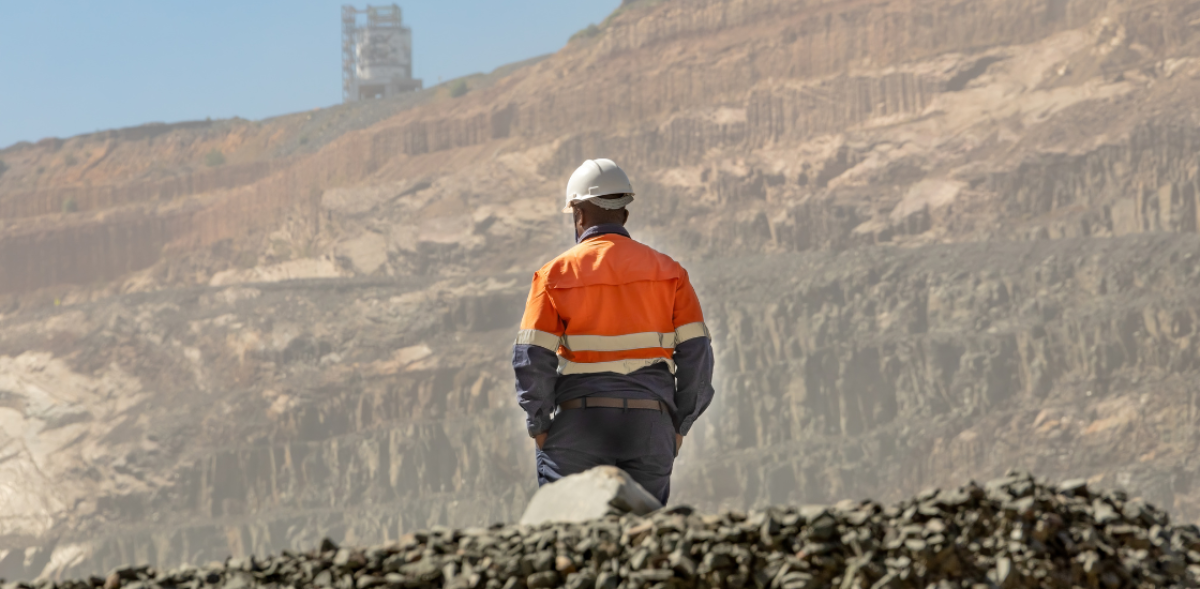
- Lone work is normal, including inspections, maintenance tasks, perimeter checks, pump rooms, substations, and contractor activities.
- Location can be uncertain, especially in pits, buildings, and underground areas, where last known position may be the only reliable reference.
- Connectivity can be inconsistent, with dead zones and reliance on radio or limited bandwidth.
- Risk evolves quickly, and early reports are often incomplete.
- Documentation and reporting expectations are high, particularly after injuries or safety events.
Effective alerting must therefore be designed around real operating conditions, including uncertainty, degraded connectivity, and the need to coordinate response without creating confusion, which is exactly what alert software for mining and lone workers is expected to handle.
The Alerts That Matter in Mining
Mining alerting is not a single button. Different situations require different thresholds, escalation logic, and verification steps.
SOS Alert
A worker triggers an SOS when they feel unsafe, are injured, or need immediate support. A reliable SOS workflow should include fast activation, automatic attachment of identity and location context, and escalation if acknowledgment does not occur within defined time limits.
Man Down
Automatic alerts can activate when a device detects a fall, prolonged inactivity, or loss of vertical orientation. This can protect workers who cannot trigger an SOS, but it must be configured carefully to avoid avoidable false alarms and alert fatigue.
Effective man down alerting allows thresholds to be adjusted by task and zone, and enables quick verification so teams can separate false alarms from real emergencies.
Missed Check-ins
Scheduled check-ins help surface problems that do not start as a clear emergency, for example heat stress, fatigue, disorientation, or unexpected task delays. An effective workflow sets intervals based on risk, escalates according to shift structure, and documents missed check-ins and responses consistently.
Geofence and Restricted Zone Alerts
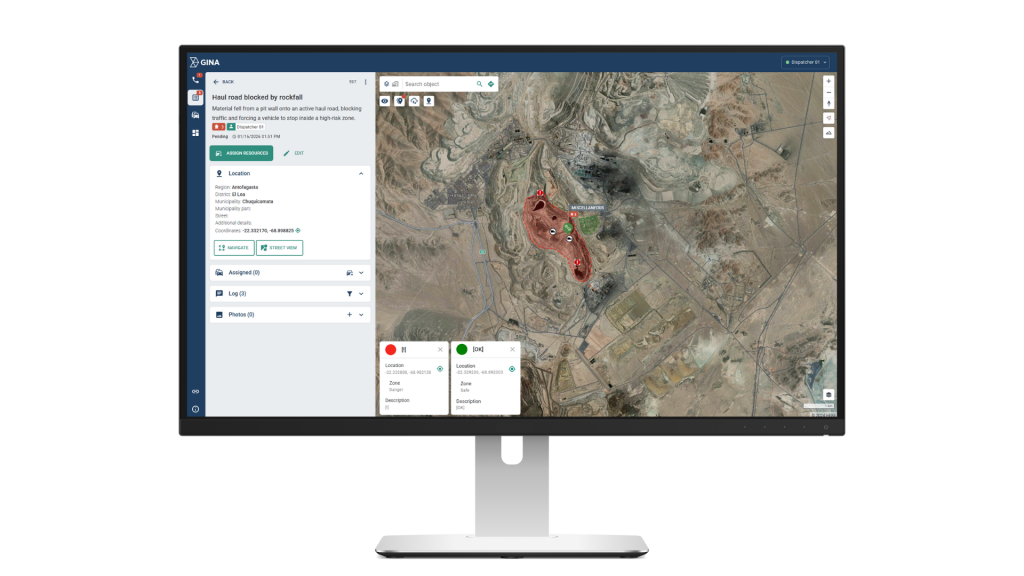
Geofence alerts help detect when someone enters a restricted area, remains in a high-risk zone too long, or crosses an exclusion boundary during critical activities.
Strong geofencing relies on rules that reflect operational status, location confidence indicators, and defined actions that teams can execute consistently.
When Alerting Fails
The value of alerting is not the number of notifications sent. The value is a controlled path from first signal to verified action.
Mining teams need to answer, consistently and quickly:
- Who received the alert
- Who acknowledged it
- What was verified, by whom, and how
- Which actions were assigned and completed
- When the incident was closed, and on what basis
Without this structure, response slows as teams try to align fragmented updates, and reviews are built on recollection instead of a reliable record.
What Happens After a Missed Check-in
A maintenance technician is scheduled for a routine check-in while working alone in a remote pump room. The check-in is missed. In a generic alerting setup, the notification is delivered, but ownership is unclear, escalation is manual, and the response starts late because the team first has to confirm whether the worker is simply delayed or actually in trouble.
In a controlled workflow, the missed check-in triggers an alert with the worker identity, last known location and timestamp. A coordinator acknowledges the alert, initiates verification, and assigns actions in parallel, for example a radio call attempt, a supervisor check, and dispatch of the nearest available unit. As updates come in, the incident record is updated in one place, and the response remains aligned across shift roles.
Whether the outcome is a false alarm or a real medical event, the incident closes with a documented timeline of acknowledgment, verification steps, assignments, and decisions. That record supports both operational review and any compliance or reporting requirements.
How Smart CAD Supports Controlled Response
Alerting is the starting point. Operational control depends on what happens next.
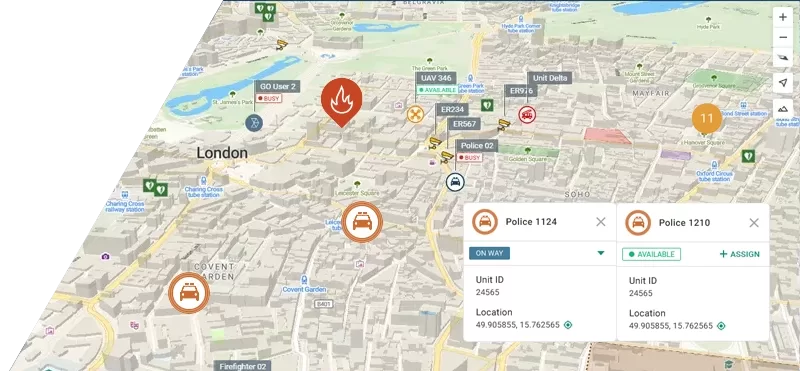
Smart CAD supports mining response by keeping a single, time-stamped incident record where the initial alert, location context, updates, and response actions remain connected. This helps teams move from notification to coordinated execution through:
- Clear incident ownership and role-based visibility
- A structured verification step that stabilizes the operational picture
- Task assignment and status tracking to reduce duplication and delays
- Resource visibility to support faster, better-informed decisions
- Continuity across shift handovers
- A review-ready timeline captured as actions occur
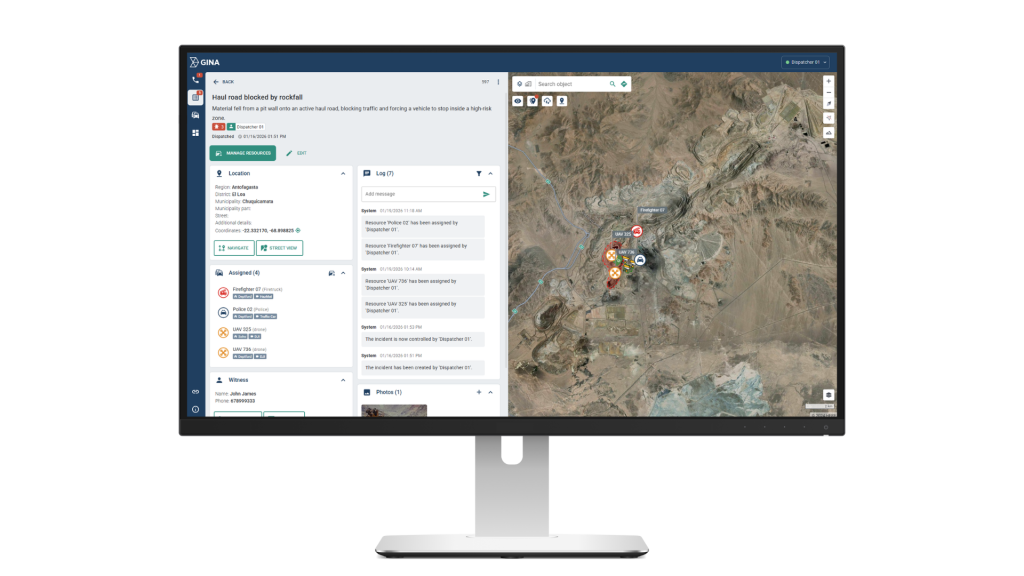
This approach reduces the risk that response becomes fragmented across separate tools, channels, and informal updates.
For mining-specific context and requirements, see the dedicated solution page: Emergency Response Software for Mining Disasters.
Alert Software for Mining and Lone Workers: What to Remember
Alert software for mining and lone workers should not be evaluated as a messaging tool. It should be evaluated as a controlled operational pathway from first signal to verified response, with escalation, context, and a complete incident record.
Smart CAD supports this by turning alerts into structured incidents with clear ownership, coordinated tasking, and review-ready timelines.