


Airports are among the most operationally complex environments on earth. On any given day, dozens of agencies operate in parallel across terminals, tarmacs, fuel farms, and cargo facilities. Security teams, fire services, ground handlers, air traffic control, police, and emergency medical personnel all need to work in sync. When coordination breaks down, the consequences can be severe.
What makes this harder is that air travel is growing again. Flight volumes have surpassed pre-pandemic levels, and with more aircraft, more passengers, and more ground activity, the pressure on airport safety systems is increasing. Many airports are still managing that pressure with fragmented radio communications, siloed databases, and paper-based logs. That gap between operational complexity and safety infrastructure is exactly where incidents happen.
This guide covers what safety management software for airports actually does, why it matters, what features to look for, and how modern platforms like Smart CAD are raising the standard for coordinated airport operations.
Table of Contents
What Is Airport Safety Management Software?
Airport safety management software is a platform that centralizes incident detection, response coordination, resource management, and compliance reporting into a single operational environment. Rather than replacing individual tools, the best platforms integrate them, connecting CCTV feeds, mobile devices, geofencing systems, and dispatch workflows into one shared picture.
This is fundamentally different from generic emergency management tools. Airport environments require coordination across multiple independent agencies, both airside and landside, under strict regulatory frameworks including FAA Part 139, ICAO Annex 14, and TSA security programs. A generic tool is not built for that level of complexity, and the gaps show up quickly in real operations.
The shift from paper logs and radio-only coordination to integrated digital platforms is not just a technology upgrade. It changes how safety teams detect threats, share information, and respond, moving from reactive firefighting to structured, proactive safety management.
Why Generic Tools Are Not Enough
The regulatory side is straightforward. Certificated airports are required to maintain a formal emergency plan with documented procedures, coordinated communications, and regular full-scale exercises. Meeting these requirements manually is slow, inconsistent, and hard to defend when auditors come looking for evidence.
The operational reality is just as important. Better monitoring technology and faster response infrastructure helped cut serious runway incursions by 59% between 2023 and 2024 (DOT Office of Inspector General, 2025). That kind of improvement does not happen with radio calls and paper logs.
The threat landscape is also shifting. GPS spoofing and signal interference incidents surged dramatically in recent years, and airports running on outdated infrastructure are the least prepared to respond.
Taken together, these pressures make a strong case not just for having a safety plan, but for having the right infrastructure to execute it. Regulations set the floor, but operational reality demands much more than the minimum.
Five Features Your Airport Safety Software Cannot Skip
Computer-Aided Dispatch (CAD)
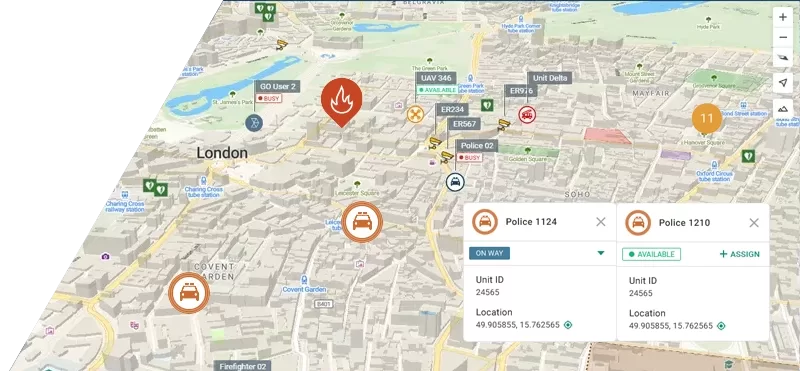
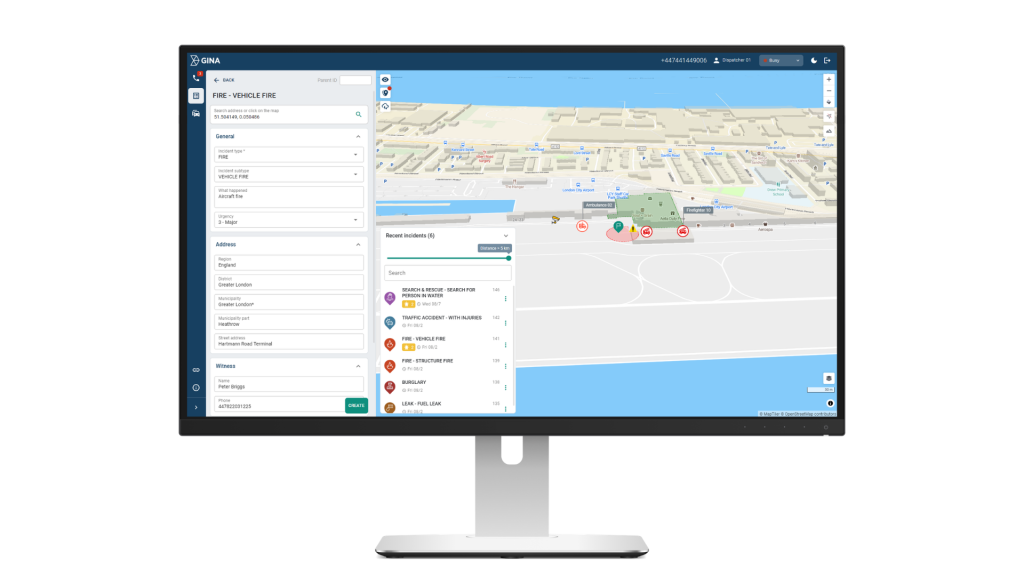
CAD is the operational core of any airport safety platform. It gives dispatchers a live overview of all active incidents, unit locations, and resource availability, enabling rapid, informed assignment decisions without waiting for radio confirmation.
Smart CAD delivers a real-time operational map with continuous updates on incidents, tasks, and resource activity. Dispatchers see exactly where every team is and how each situation is evolving, whether it is a routine patrol handoff or an active multi-agency emergency. This removes the guesswork from resource allocation and cuts the delays caused by radio back-and-forth during time-critical situations.
If you want to go deeper on how CAD systems work, our guide Computer Aided Dispatch Explained: Features, Uses, Benefits covers everything you need to know.
Real-Time Situational Awareness and Video Integration
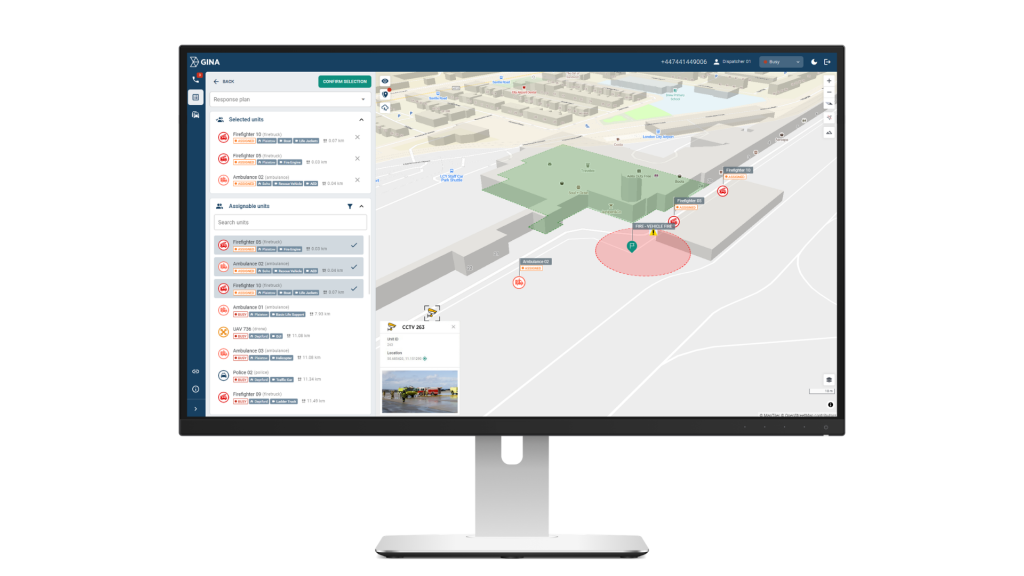
Airports generate significant visual data from CCTV networks, body-worn cameras, drone feeds, and fixed systems, but this intelligence is only useful if teams can access it quickly and in context. When video is siloed across separate platforms, operators waste critical time switching screens and cross-referencing locations.
Smart CAD solves this by pulling all video sources into the same workspace as the incident log and map. Whether it is a fixed terminal camera, a drone feed, or footage from an officer in the field, operators can pull it up without leaving the platform, cross-reference it with an active incident, and push relevant footage to other team members who need it. Commanders get a complete visual picture of what is happening across both landside and airside areas from one screen.
Geofencing and Automated Alerts
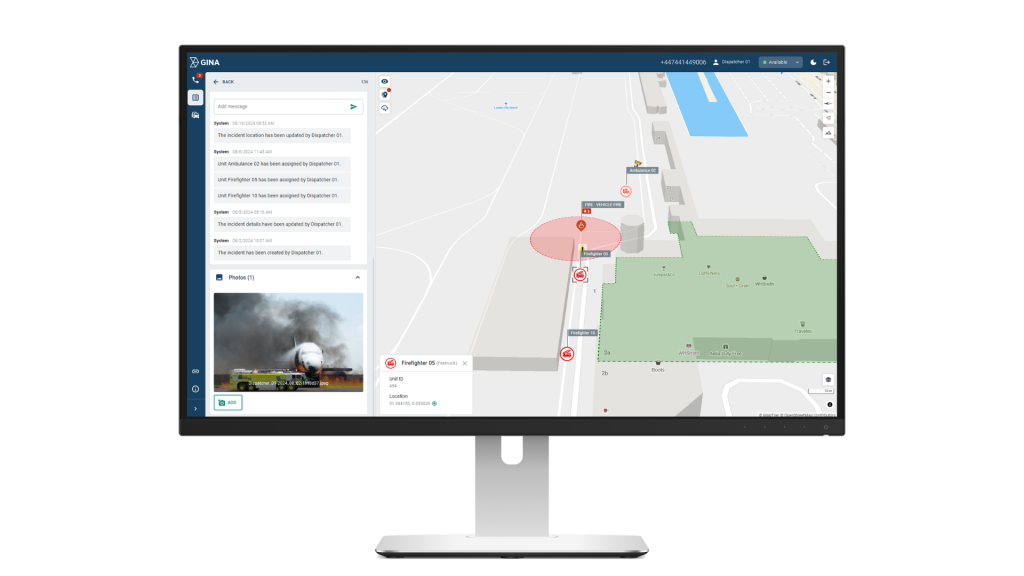
Fuel farms, cargo facilities, restricted access zones, and runway perimeters are high-risk areas that require continuous monitoring. Manual patrols alone cannot provide coverage across a large airport site at all times.
Smart CAD allows teams to draw virtual perimeters around any area that requires controlled access. If a vehicle, asset, or member of staff crosses one of those boundaries without authorisation, an alert fires automatically. No one has to be watching a screen at that exact moment for the system to catch it. For high-risk locations where a delayed response to unauthorised access could have serious consequences, this kind of automated layer removes a significant dependency on manual oversight.
Mobile Access for Field Personnel
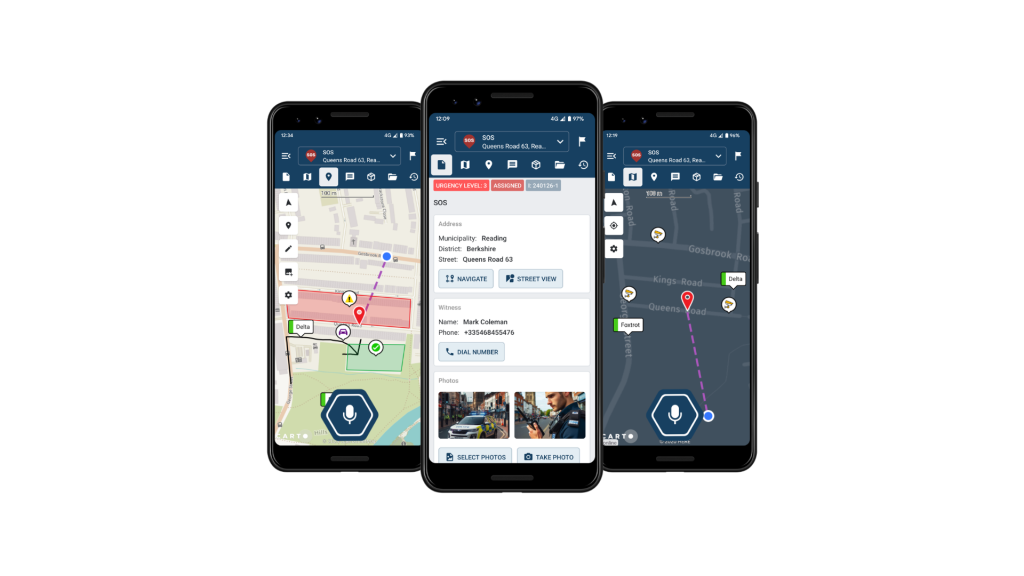
Field staff need more than a radio. They need the same operational picture as the control room, including incident details, navigation, task lists, and status updates, directly on their devices without generating unnecessary radio traffic.
Through the GINA app, field staff connect to the same operational picture as the control room. They receive incident updates, maps, and task assignments on their devices, can communicate via push-to-talk or group messaging, and update their status or attach media from the scene without a radio call. The control room always knows where field teams are and what they are dealing with, and field teams always have the context they need to work effectively without waiting for instructions.
Incident Logging and Compliance Reporting
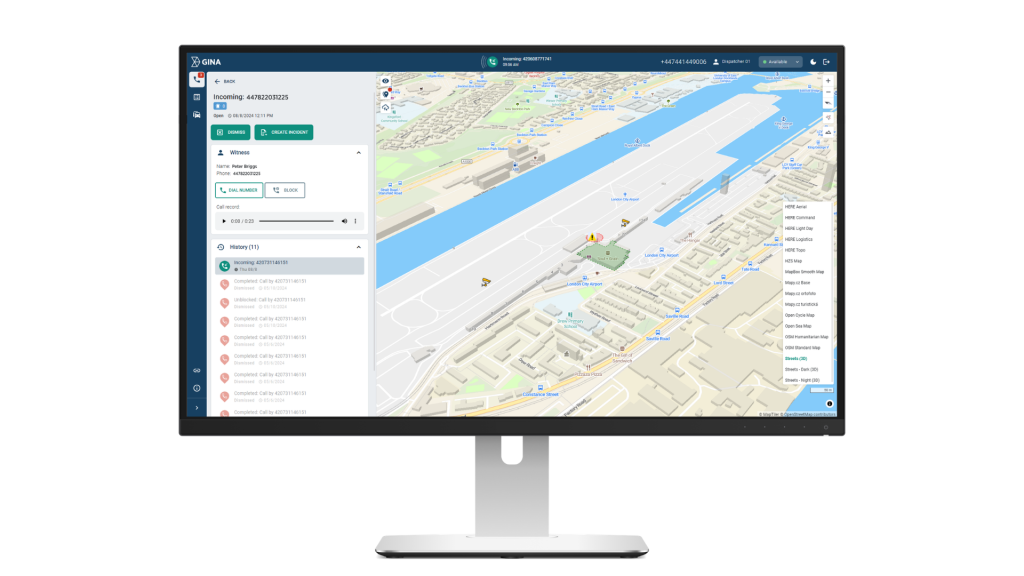
Every incident at a certificated airport generates a documentation obligation. Under FAA and ICAO requirements, airports need auditable records covering what happened, when, who responded, and what actions were taken. Reconstructing this from radio logs and handwritten notes after the fact is unreliable and time-consuming.
Smart CAD automatically records all incident data, actions, and timelines as events unfold. Managers can review any incident in full, export compliance-ready reports, and identify patterns across security breaches, delays, and equipment issues. Over time, this data supports proactive risk management by enabling teams to adjust patrol routes, maintenance schedules, and contingency plans based on real operational evidence rather than assumption.
How the Right Platform Makes a Difference
he benefits show up across the full operational cycle. On the airside, faster dispatch means ground crews and emergency vehicles reach the right location without waiting for radio confirmation or manual coordination between teams. On the landside, security personnel responding to a terminal incident have the full picture before they arrive, not after.
For airports managing multiple agencies under one roof, whether that is contracted security, airport police, fire services, or ground handlers, the biggest gain is a shared operational picture. When a vehicle is flagged in a restricted zone near a fuel farm, or an unplanned access event occurs at a cargo facility, every relevant team sees it at the same time. No one is waiting for information to filter through a chain of radio calls.
The longer-term gain is strategic. Incident data collected over time reveals patterns specific to your airport layout, your busiest periods, and your highest-risk zones. That intelligence allows safety managers to adjust patrol schedules, update contingency plans, and brief teams based on actual operational history rather than general assumptions.
How Smart CAD Supports This in Practice
- Unified operational picture across security, operations, and all response teams, reducing miscommunication and duplicated effort
- Faster incident verification through integrated video, reducing time between detection and confirmed response
- Automated geofence monitoring with instant alerts for unauthorized access to restricted zones
- Field-to-control-room continuity via mobile connectivity, so no team ever operates with incomplete information
- Compliance-ready audit trails generated automatically, supporting legal requirements without additional administrative burden
- Proactive risk management through pattern analysis, helping teams move from reactive response to structured prevention
Questions to Ask Before Buying
Before evaluating any airport safety management platform, confirm it addresses these fundamentals:
- Does it offer real-time CAD with live resource mapping?
- Does it integrate with our existing CCTV and camera infrastructure?
- Can we configure geofences around our specific restricted zones?
- Is there a mobile app that keeps field staff connected to the control room?
- Does it automatically generate audit-ready incident logs?
- Can it scale to our airport’s size and operational complexity?
- Does it support multi-agency coordination from a single platform?
No two airports are identical, but these questions apply regardless of size or complexity. A regional airfield and a major international hub face the same fundamental coordination challenges, just at different scales. The right platform should be able to meet you where you are.
Key Takeaways
Airport safety management is far too critical and complex to rely on disconnected tools and manual coordination. As global flight volumes grow and the threat landscape evolves, the gap between operational demands and legacy safety infrastructure becomes increasingly difficult to justify.
The right software does not just digitize existing workflows. It gives every team, from dispatchers and security officers to field responders and commanders, the shared situational awareness needed to act quickly and confidently in any scenario.
Smart CAD is built for exactly this environment. From real-time dispatch and integrated video to automated geofencing, mobile connectivity, and compliance-ready reporting, it brings every element of airport safety coordination into one operational platform.
Want to see how Smart CAD works in practice? Request a demo or see our dedicated airport management solution page.